
Modbus OPC server2.3 - Download
You'll be able to download in few seconds.
Publisher Description
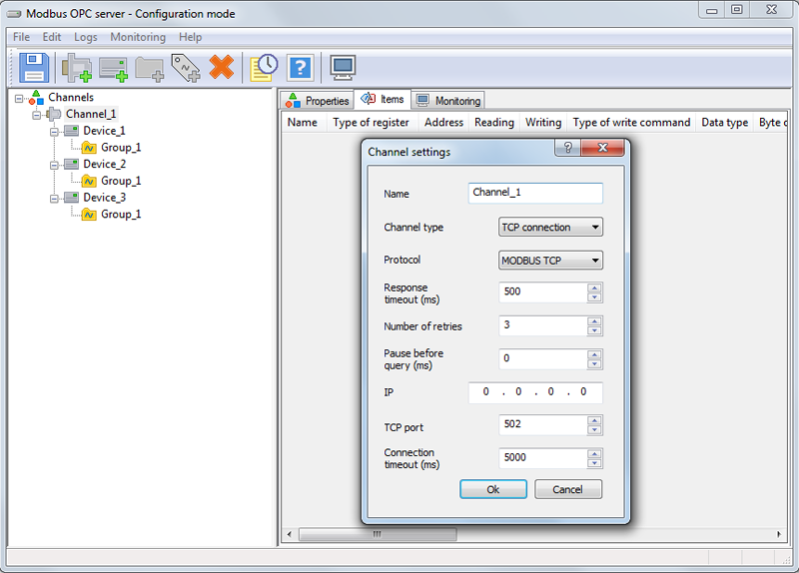
The OPC server provides the OPC clients (any advanced SCADA systems) with an access to devices, supporting the MODBUS protocol.
To have a trial run of the software product, you can use, absolutely free of charge, 30 tags without any time limit. To handle more than 30 tags, you can use a 30-day fully functional trial period.
Key functions
Supported protocols: MODBUS RTU, MODBUS TCP, MODBUS ASCII
Supported MODBUS functions: 1,2,3,4,5,6,15,16
Supported communication channels: COM port, TCP connection
Opportunity to use an extended list of communication channel types (CSD, GPRS, etc.), using the Modem Communication Channel Module special software
Opportunity to poll tag groups of the device at varying intervals
Interaction with the OPC clients in accordance with the OPC DA specifications, version 2.05a
Service operation function (Windows OS Service)
Group setting of tags
Configuration import/export in the CSV format (with a report file formatting)
Ability to survey and view tag values without the OPC client connection
Ability to operate at a broadcast address
Ability to emulate tag values
OPC server operation logging.
Features
Automatic search for connected devices reduces the configuring time.
Configuration import/export into the CSV format significantly accelerates the configuring process.
Polling tag values of the device at varying intervals increases the speed of reading of critical parameters.
Surveying and viewing tag values without the OPC client connection allows the OPC server to be initially set without application of any additional software.
Tag value emulation provides the opportunity to debug projects in the upper level systems without any physical access to metering instruments.
About Modbus OPC server
This Databases & Tools program is available in English. It was last updated on 29 September, 2026. Modbus OPC server is compatible with the following operating systems: Windows.
The company that develops Modbus OPC server is Scientific Production Company «KRUG». The latest version released by its developer is 2.3.
The download we have available for Modbus OPC server has a file size of 7.3 MB. Just click the green Download button above to start the downloading process. The program is listed on our website since 2016-09-08 and was downloaded 0 times. We have already checked if the download link is safe, however for your own protection we recommend that you scan the downloaded software with your antivirus. Your antivirus may detect the Modbus OPC server as malware if the download link is broken.
How to install Modbus OPC server on your Windows device:
- Click on the Download button on our website. This will start the download from the website of the developer.
- Once the Modbus OPC server is downloaded click on it to start the setup process (assuming you are on a desktop computer).
- When the installation is finished you should be able to see and run the program.
Program Details
System requirements
Download information
Pricing
Version History
version 2.3
posted on 2016-09-08
Run as a Windows Service feature allows you to get rid of possible problems to run multiple instances.
Removing from the survey function allows to keep the system speed, even in case of failure of devices on the bus.
Ability to work on a broadcast address saves sending commands time.
Disclaimer
External Download
We do not host Modbus OPC server on our servers. We did not scan it for viruses, adware, spyware or other type of malware. This app is hosted by the software publisher and passed their terms and conditions to be listed there. We recommend caution when installing it.
The external download link for Modbus OPC server is provided to you by apps112.com without any warranties, representations or guarantees of any kind, so access it at your own risk.
If you have questions regarding this particular app contact the publisher directly. For questions about the functionalities of apps112.com contact us.
